
Forgot the tour radio sets? How to save the tour in 10 minutes
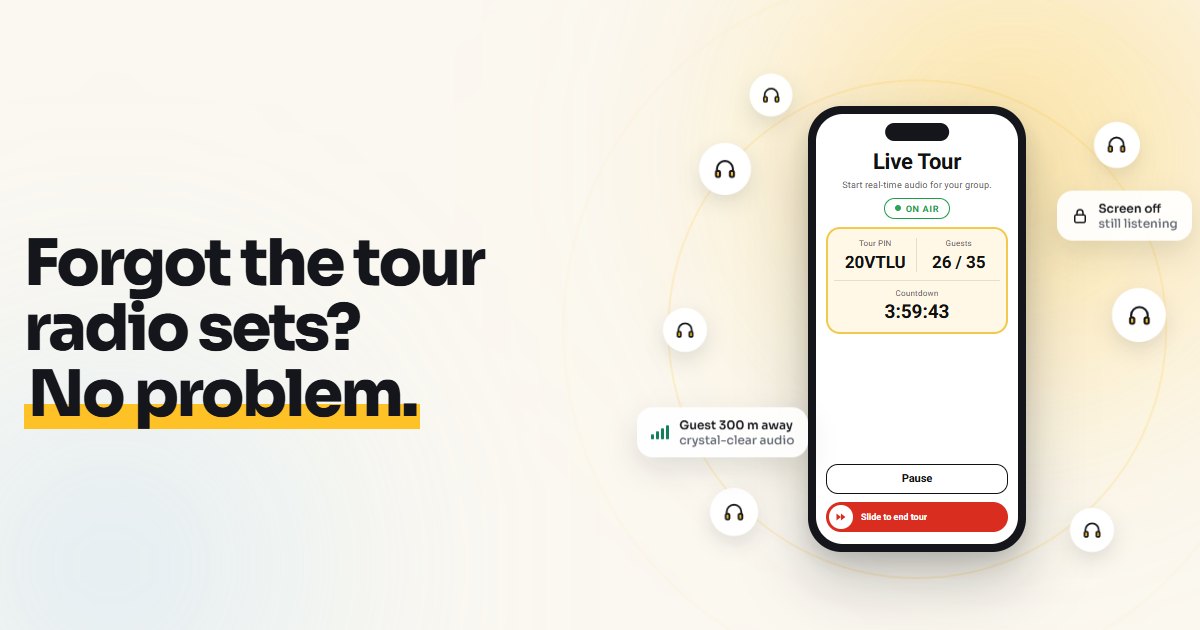
Saturday morning, 9:40. The group is already at the meeting point, twenty-five people looking at you expectantly. And the radio sets aren't there: the rental shop closed early, the case was left at the office, the colleague who was bringing them is stuck in traffic. It happens to the most organized guides too.
This guide is the emergency plan for that moment: how to start the tour anyway, in about ten minutes, using the smartphones your guests already have in their pockets. Nothing to rent, nothing to collect or return.
First of all: breathe and check the alternatives
Before switching tools, it's worth a quick check. Sometimes the simplest solution is right there:
- Does a colleague or a nearby agency have a spare set of radio guides they can bring over in a few minutes?
- Is the group small (8-10 people) and the route quiet? With a tight group and few noisy stops, your voice is sometimes enough.
- Is there mobile signal? This is the deciding question: a smartphone audio app needs a small data connection, for you and for your guests. If the tour is underground, in catacombs or in an area with no coverage, radio guides are still the right choice.
If none of these work and the place has signal, move on to the plan below.
The 10-minute plan
Minutes 0-2: get a license
You need a license code to start the tour. Two options:
- First time? Sign up on the website with your email: confirm with a 6-digit code and you immediately get 3 free licenses for 5, 25 and 35 guests.
- Want the exact size? Buy a single license for the number of guests in your group, from €3.99. The code arrives by email within seconds.
Choose the size based on the real group, with a little margin: a 25-guest license accepts at most 25 connected guests.
Minutes 2-4: start the tour from your phone
- Download the VoiceGuide AirLink app from the App Store or Google Play.
- Open the app, choose Guide and tap Activate License: enter the code.
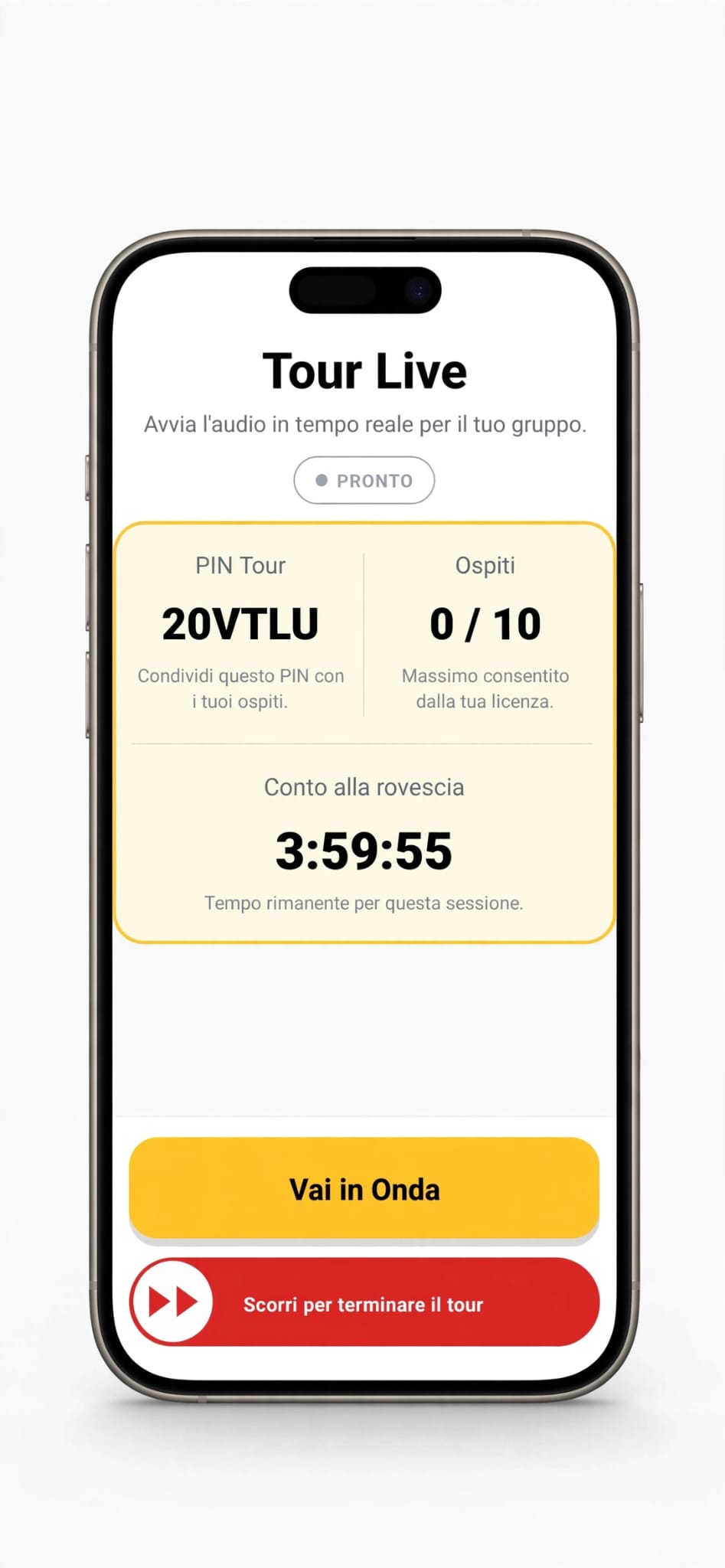
- In the Guide Dashboard, tap Start New Tour.
The app creates a PIN for your tour (for example 20VTLU) and shows how many guests have joined. The tour lasts up to 4 hours from the moment you activated the code.
Minutes 4-8: get the group connected
This is the part that takes longest, because each guest has to download the app. Two tricks make it much faster:
- Send one single message to the tour's WhatsApp group (or to individual contacts, if you have them), with the link and the PIN. You'll find a ready-made text below.
- Say it out loud too, once and clearly: "Download the VoiceGuide AirLink app, choose Guest and enter the PIN 20VTLU". Repeat the PIN slowly, letter by letter.
Each guest opens the app, chooses Guest, enters the PIN, taps Join Tour and then Listen. No sign-up and no payment for them.
While the group connects, you'll see the guest counter go up on your phone. It's the quickest way to see who's still missing.
Minutes 8-10: sound check and off you go
- Tap Go Live.
- Speak normally and ask two or three guests, ideally the furthest away, to raise a hand if they can hear you.
- Check that the number of connected guests matches the group.
Done. From here the tour works just like with radio sets: you talk, the group listens in their own earphones. Guests who stop for a photo or fall a few metres behind can still hear you, because the audio travels over the internet and has no distance limit. And listening continues even with the screen off or when a guest opens the camera.
The ready-made message for the group
Copy, paste, and only change the PIN:
Hi everyone! Today we'll use your smartphones instead of radio sets. 1) Download the free VoiceGuide AirLink app (App Store or Google Play). 2) Open it and choose "Guest". 3) Enter the PIN 20VTLU and tap "Listen". Bring your own earphones, Bluetooth is fine too. See you soon!
If you know in advance that you'll use the app, send the message the day before: guests who download it at home on Wi-Fi only need to enter the PIN at the meeting point.
Small hiccups and how to handle them
- A guest has no earphones. They can listen through the phone's speaker, holding it near the ear at low volume, or pick up a cheap pair of earbuds in a nearby shop. It's worth saying in the message: "bring your own earphones".
- A guest has no smartphone. They can stay close to you, or share listening with a travel companion.
- A guest's phone is nearly flat. Listening live uses about as much battery as a phone call: anyone starting out almost flat risks losing the audio halfway through. A power bank in the guide's backpack never hurts.
- A guest leaves the app by mistake. They just reopen it and enter the PIN again.
- International guests. The app is in five languages (English, Italian, French, Spanish and German) and adapts to the phone's language.
- Older or less tech-savvy guests. Allow a couple of extra minutes and ask the younger members of the group to help: they're usually happy to.
Next time: a spare code in your pocket
The best way never to end up in this situation again is to always keep a spare code. VoiceGuide AirLink codes don't expire until you activate them: you can buy one today and keep it in your phone's notes for the day you need it. And licenses aren't tied to a person: if you work in a team, any guide can use the spare code.
Radio sets are still a great tool, especially for places without coverage or for those who use them every day. Smartphones don't have to replace them: they're the plan B that saves your day when they're not there.
If it's your first time using the app, you'll find all the details in this step-by-step guide to your first tour. If you'd rather compare radio sets and apps calmly, there's the full comparison.
Get your plan B ready now: sign up with your email and get 3 free tours for 5, 25 and 35 guests. The codes never expire.